
Practical Workflow
The Backorder Stays Open When the First Parcel Ships
A Shopify-backed workflow design for partial shipments: release the lines that can ship, reconcile the returned fulfillment records, and keep the backorder visible until it is resolved.
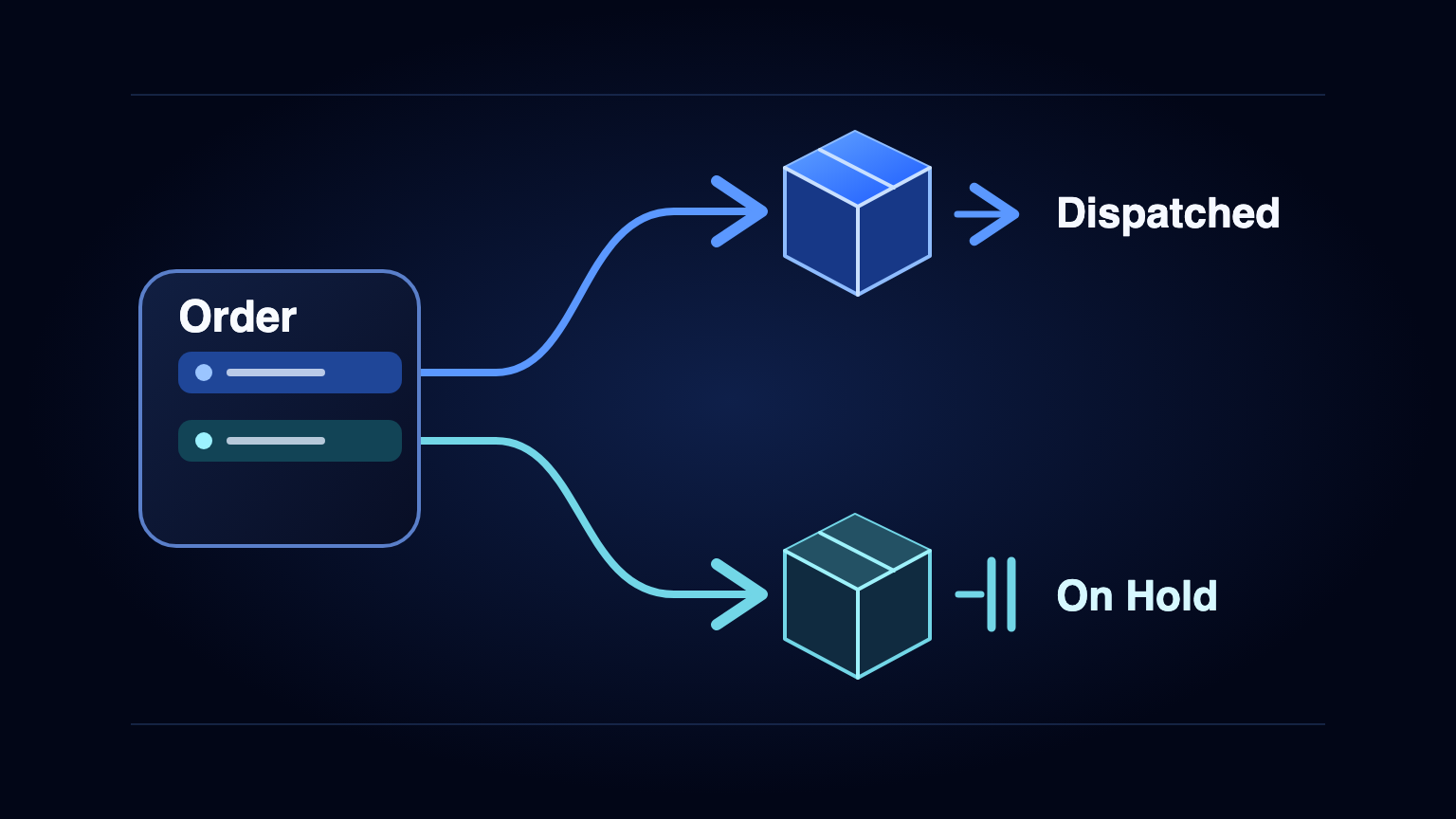
The first parcel can leave on time while the order is still incomplete. The mistake is letting the warehouse's success at dispatch become the storefront's claim that everything has shipped.
Consider a retailer that sells workshop equipment and replacement parts. An order includes a tool that is ready to pick and an accessory that is waiting for replenishment. The tool can be used on its own, and the merchant's shipping policy allows a split. The warehouse can send the tool. Customer service still needs to know exactly what is outstanding, why it is waiting, and who can change the promised date.
This is a workflow design grounded in documented Shopify capabilities. It is not a report of a retailer's implementation or an AES deployment. The distinction matters: the platform provides fulfillment operations, while the merchant has to decide when using them serves the customer.
The old process couples two decisions
In a manual workflow, the picker sees a shortage, leaves a note and asks a coordinator whether to wait. The coordinator checks the storefront, the warehouse and the shipping policy, then tells someone to prepare the available goods. A support agent later reconstructs the missing line from that note and the tracking email. When a delivery arrives at the warehouse, the outstanding line may be invisible to the person working the unfulfilled-order queue.
That is not just a handoff problem. One order-level label has been asked to represent two different things: which goods can leave and whether anything still needs to be shipped. Adding another email does not resolve the ambiguity. The missing state belongs on the remaining fulfillment work, not in a separate message that someone must remember to read.
Split fulfillment work, not the customer promise
Shopify documents partial fulfillment, splitting by item and quantity, and separate tracking for different shipments. It also documents putting selected items on hold. In a merchant-managed flow, an order can therefore remain the reference for the customer's purchase while its fulfillment orders carry the work still to be done. In this design, a stock hold is an explicit condition, not a new delivery date.
- Read the current fulfillment lines, remaining quantities and assigned location. Compare them with stock that the warehouse can actually reserve and pick. Do not treat a catalogue stock total, a supplier estimate or a quantity at another location as a pick confirmation.
- Decide whether the order is eligible for a split. Use a merchant-approved rule for independently usable items, shipping terms and the cost of an additional parcel. Keep bundles, pickup orders, unclear reservations and orders already handed to a fulfillment partner on a review path unless there is an explicit rule for them.
- Separate the affected quantities and reconcile the returned records. Shopify's fulfillmentOrderHold can hold selected lines and return the remaining fulfillment work; fulfillmentOrderSplit is an alternative when an explicit split is needed. Read the returned IDs and quantities, including replacements, before issuing work to the warehouse. Do not blindly perform both operations or assume the original fulfillment ID is still the one to dispatch.
- Dispatch the eligible part and wait for shipment evidence. Use the warehouse or carrier confirmation and actual tracking for that fulfillment. Describe what shipped and what remains; creating a pick ticket or printing a label does not by itself support saying the parcel has left.
- Recheck the outstanding part after replenishment. Read its current remaining quantity, location and active holds again. Release only the inventory hold that this workflow owns and only when stock and policy permit. Leave payment, fraud, merchant and third-party holds alone. Close the order only after the remaining fulfillment work is accounted for.
Where this can fail
A retry is not a reason to split the same line again. An API response can be lost after a change is applied, and Shopify documents that a webhook can arrive more than once. Save the observed order, line, location and outcome of each transition; read the current fulfillment state before repeating an uncertain write. A duplicate receipt should not create a second pick instruction or tracking notice.
A replenishment event is also not permission to override other decisions. Inventory may have been allocated elsewhere, the customer may have asked to cancel, or a fulfillment partner may already have started work. If the location or remaining quantity changed unexpectedly, have an operator reconcile the records before release. The operator, not the stock event, decides whether a substitution, refund or revised promise is appropriate.
GraphQL fulfillment writes require the applicable fulfillment-order write scope and the user's permission to fulfill and ship orders. Verify those permissions and the ownership of the fulfillment location before enabling writes. Keep addresses and contact details in the systems that need them. A reconciliation log can use necessary identifiers, quantities, hold reasons and shipment references without copying customer contact fields into a shared spreadsheet. Confirm the app's protected-data access separately.
Test the part that remains open
Start with a merchant-managed warehouse, an independently shippable item and a common stock exception. Rehearse the same event arriving again, the hold returning a new fulfillment ID, a hold placed by another app, and replenishment that does not cover the remaining quantity. Compare the store, the warehouse queue and the customer-visible state. If those disagree, keep the order open and resolve the discrepancy before expanding the pilot.
Measure time to the first confirmed shipment alongside the age of outstanding lines, unnecessary second parcels and incorrect order closes. A faster first shipment can be useful, but it is not progress if the remaining goods vanish from the queue or a customer has to ask what is missing. The process is working when the first parcel can leave and the outstanding promise stays visible and owned.
If your team handles this exception through notes and chat, map how one order line moves from stock hold to actual shipment. AES can help design that handoff; suitability depends on the available integrations, permissions and merchant rules.
Primary sources: Shopify Help Center — partial and split fulfillment: https://help.shopify.com/en/manual/fulfillment/fulfilling-orders/single-fulfillment. Fulfillment holds: https://help.shopify.com/en/manual/fulfillment/fulfilling-orders/holding-fulfillments. Shopify Admin GraphQL — hold: https://shopify.dev/docs/api/admin-graphql/latest/mutations/fulfillmentOrderHold; split: https://shopify.dev/docs/api/admin-graphql/latest/mutations/fulfillmentOrderSplit; release a specified hold: https://shopify.dev/docs/api/admin-graphql/2026-01/mutations/fulfillmentOrderReleaseHold. Protected customer data: https://shopify.dev/docs/apps/launch/protected-customer-data. Duplicate webhook deliveries: https://shopify.dev/docs/apps/build/webhooks/verify-deliveries.

