
Workflow design
A New Scoring Key Can Rewrite Old Test Results
Qualtrics applies scoring changes retroactively. A versioned assessment workflow preserves the result that was issued while allowing an approved new interpretation to begin prospectively.
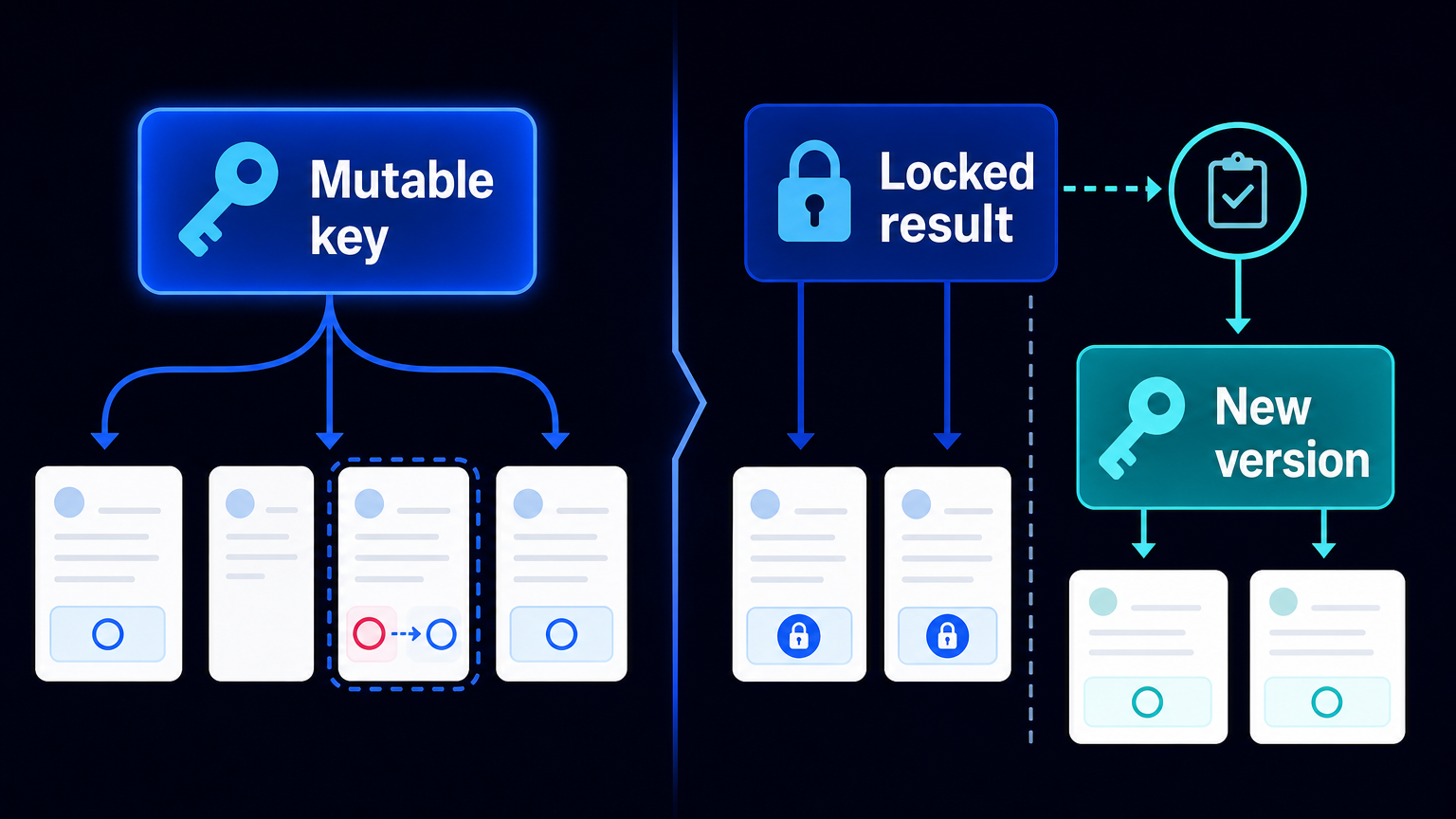
A scoring key is not a formatting detail. It is part of the meaning of a test result. Change the key, threshold or norm table, and the same set of answers may acquire a different interpretation.
That creates a quiet operational risk in active assessment programmes. A methodology editor corrects a category, recodes an item or adjusts a threshold in the live test. Historical answers remain intact, but the score now shown beside them can be calculated under the new rules. A manager comparing cohorts, a participant challenging a result or an analyst reopening an old dashboard may be looking at a different interpretation from the one originally issued.
This is a workflow design, not an AES deployment or a claim about every assessment platform. Qualtrics documentation specifically states that scoring is retroactive: it applies to previously collected as well as future responses. It also states that scoring is among the changes that can affect incoming respondents without an editor clicking Publish. In Data & Analysis, data is displayed according to the survey’s current version even when changes have not been published to respondents.
What changes—and what does not
The respondent’s raw answers do not need to change for the operational problem to arise. The change is in the scoring configuration used to interpret those answers. Qualtrics also notes that modified scoring categories may require manual updates to dependent embedded fields or dashboards. A new scoring scheme can therefore create two forms of drift: the displayed historical result can move, while a downstream report may still reflect an older dependency.
This does not mean historical results must never be recalculated. A revised key may correct an error, reflect a justified methodological decision or support a legitimate reanalysis. The problem is silent replacement: a result that was issued under one rule set is later presented as though it had always been issued under another.
The practical boundary: preserve the issued result, version the new interpretation
For an assessment owner, the useful unit of control is not merely the survey project. It is the issued assessment result: a participant or cohort, a test version, a scoring-key version, and where applicable a norm version. These references make it possible to answer a simple but consequential question: which rules produced this result when it was communicated?
A workable process has five steps.
- Before a scoring change, export response rows together with question data and survey metadata, and preserve the current scored output. Qualtrics supports such response exports. This is the pre-change evidence set, not a claim that a platform export alone creates a complete audit trail.
- Bind each issued result to test_version, key_version and, where relevant, norm_version. Store those values with the result record and any report that communicates it. A date alone is not enough when several edits can occur on the same day.
- Create the revised assessment as a separate project or from a QSF-based copy rather than altering the production key in place. Qualtrics describes a QSF as a template containing settings but no collected data, which makes it suitable for a separate future-facing version.
- Route the change log to the methodology owner. Compare a fixed regression sample under the old and proposed rules, including scores close to thresholds and known exception cases. The review should show which outputs changed and why.
- Release the new version for future use. If historical responses are recalculated, retain that output as a newly labelled interpretation rather than overwriting the originally issued result.
Version history is useful, but it is not the ledger
Platform version history can help an editor find earlier configurations. It is not a substitute for a durable result record. Qualtrics warns that restoring and publishing an earlier survey version can affect previously collected data. Its own documentation therefore does not support treating survey history as an immutable ledger of the results an organisation issued at a particular point in time.
The distinction matters in a dispute. “We can restore a prior survey configuration” is not the same statement as “we can show the result sent to this participant, the rules used, the underlying response record and the approved later interpretation.” The second statement requires explicit process records outside the convenience of a single editable project.
Automation has a role, but not the methodological decision
Automation can copy an approved configuration, attach version identifiers, run old-versus-new calculations, flag changed threshold outcomes and route a review package. It can also prevent a new distribution from starting until the required version fields and approval are present. These are useful controls because they turn a fragile editorial action into a repeatable release process.
A qualified methodology owner remains responsible for deciding whether an item, answer key, threshold or norm change is valid; whether the revised version is comparable to the earlier one; and whether past results may be reinterpreted. Copying a survey, retaining a QSF file or keeping version history does not establish psychometric equivalence, validity or legal defensibility.
The operating benefit is a stable comparison
This design does not promise a universal saving or a measured error reduction. Its benefit is more concrete: cohort comparisons remain anchored to the rules in force at the time; a challenged score can be investigated through identifiable records; and a necessary methodological revision can move forward without silently changing the past.
Assessment owners should start with one inventory question: which records in our process must remain tied to the scoring key that produced the result originally communicated? The answer defines where version identifiers, exports, approvals and separate releases belong.
Sources: Qualtrics, “Scoring” (retroactive scoring and dependent fields); “Survey Publishing & Versions” (unpublished changes and restoration effects); “Testing and Editing an Active Survey” (current-version analysis); “Export Data Overview”; and “Creating a Project” (QSF-based copies).

